Worked example · copy the logic, not the numbers

A field-by-field SaaS plan build

Build three SaaS plans: $97, $297 and $497.

This is a complete example offer to configure in HighLevel. It makes each customer promise explicit: what they get, whether they receive a trial, how much shared usage credit they receive, and what happens after that credit is spent.

See the plan matrix
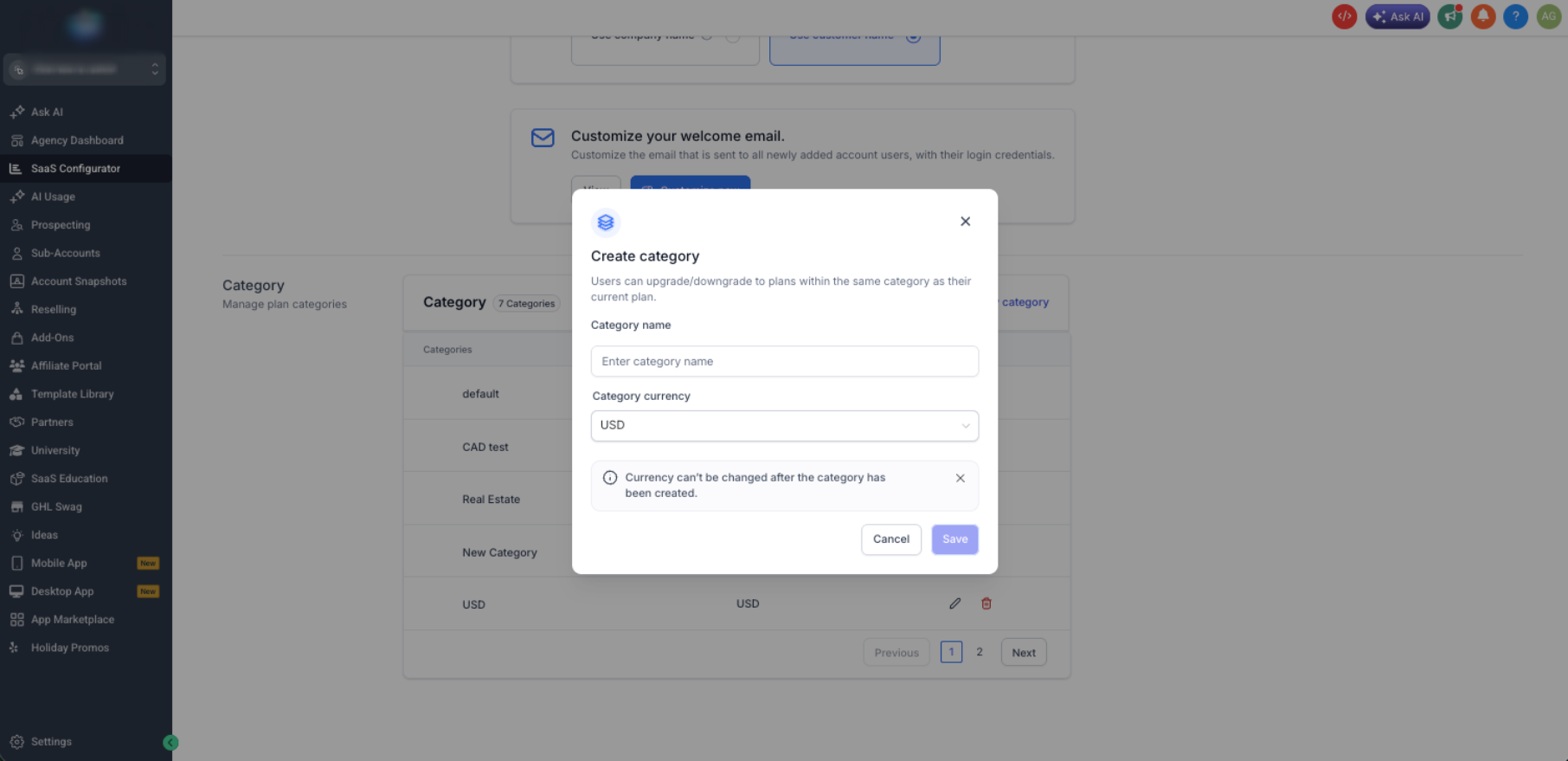
HighLevel SaaS Configurator category setup screen
Official HighLevel SaaS Configurator category screen.
Example only: adjust margins, trials and credits to your offer.
Architecture: one category, one currency and one billing architecture.
Important: HighLevel credit is a shared dollar balance—not a fixed email/SMS allowance.
Animated walkthrough

Watch every value enter the plan.

This field-by-field walkthrough mirrors the exact example: category, price, annual price, trial, included credit and the after-trial credit policy. The final frame makes the three plans easy to compare.

Foundation
$97 · $0 credit
Growth
$297 · $25 credit
Scale
$497 · $75 credit

Faithful interface reconstruction for instruction—not a literal HighLevel product screenshot.

The use case

A productized CRM with a clear upgrade path.

Our imaginary agency sells a ready-to-use CRM for local service businesses. Every customer receives a tested starter snapshot. The higher plans buy deeper implementation, more included shared usage credit and faster help—not a vague list of “more stuff.”

Common to every plan
Core CRM access, tested starter snapshot, basic pipeline, calendar and form.
Upgrade signal
More implementation help and a larger shared credit buffer.
Usage policy
Rebilling is clearly disclosed; credit does not promise a fixed message count.
01 · PLAN LIBRARY

The exact example configuration.

FOUNDATION

$97/mo

For a self-serve client who needs the core system.

  • Trial: none
  • Complimentary credit: $0
  • Snapshot: Foundation starter snapshot
  • Access: core CRM features only
  • Onboarding: self-serve checklist
  • Overage: client wallet/rebilling policy applies

GROWTH

$297/mo

For a client who needs a guided launch and a credit buffer.

  • Trial: 7 days
  • Complimentary credit: $25 monthly, no rollover
  • Snapshot: Growth snapshot with more workflows
  • Access: core features plus agreed Growth tools
  • Onboarding: one launch call
  • Overage: client wallet/rebilling policy applies after credit

SCALE

$497/mo

For a client who wants higher-touch setup and a larger buffer.

  • Trial: 14 days
  • Complimentary credit: $75 monthly, no rollover
  • Snapshot: Scale snapshot with advanced workflows
  • Access: core features plus agreed Scale tools
  • Onboarding: launch call + configuration review
  • Overage: client wallet/rebilling policy applies after credit
Why these are dollar credits: HighLevel’s plan credit is a shared balance for eligible usage. Do not advertise “X emails and Y texts” unless you separately model the current rates, region and carrier rules behind that promise.

02 · CREATE THE CATEGORY

Create one “Local Service CRM” category in your selling currency.

  1. Open SaaS Configurator → Advanced Settings.
  2. Select Add New Category.
  3. Name it Local Service CRM and choose your currency.
  4. Place Foundation, Growth and Scale in that category in upgrade order.

SaaS Configurator → Advanced Settings → Add New Category

HighLevel SaaS category setup screen
Screen checkpoint: create the category before the plans so upgrade and downgrade destinations are intentional.

03 · CONFIGURE FOUNDATION

Build the $97 Foundation plan.

Plan fieldExample valueWhy
NameFoundationCustomer-safe label for the self-serve tier.
Price$97 monthly; add annual only if you will support it.Keep the first tier uncomplicated.
Trial & credits0 trial days; $0 credit.Sales begins at checkout; no hidden included usage.
SnapshotFoundation starter.Gives every account a consistent baseline.
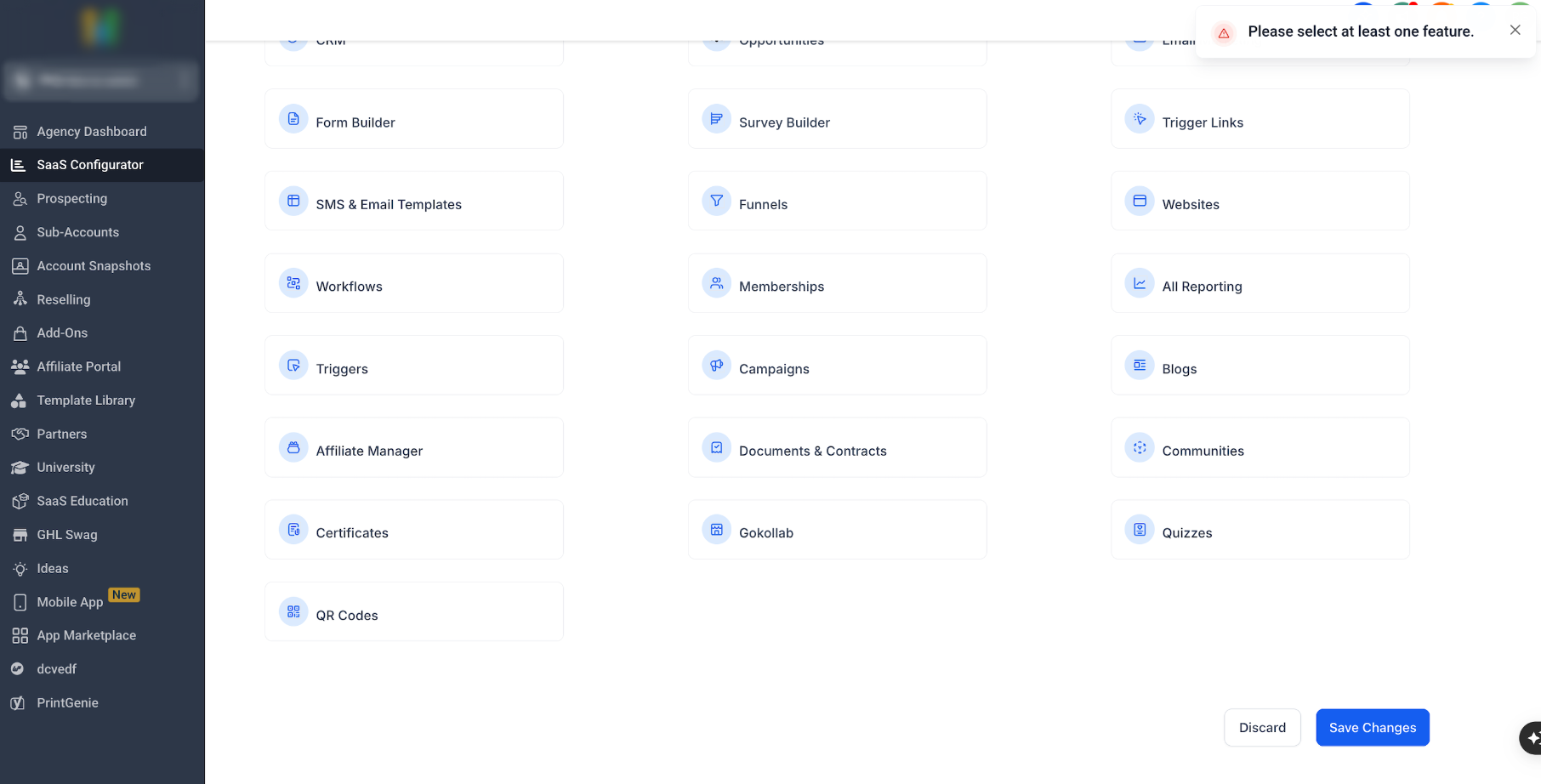
HighLevel screens to complete: Details → Category → Pricing → Features & Snapshot → Trial & Credits → Rebilling. Select at least one product feature before saving.

04 · CONFIGURE GROWTH

Duplicate the logic, then change only the customer promise.

  • Details: name it Growth; keep it in the Local Service CRM category.
  • Pricing: $297 monthly.
  • Features & Snapshot: attach the Growth snapshot and only the agreed Growth-level feature access.
  • Trial & Credits: set 7 trial days; set $25 recurring monthly complimentary credit; turn rollover off for this simple example.
  • Onboarding: document the included launch call outside the SaaS feature list so the team can deliver it consistently.
What the sales page must say: “$297/month after a 7-day trial. Includes $25/month shared HighLevel usage credit. Usage after credit is billed under the account’s rebilling policy.”

05 · CONFIGURE SCALE

Use Scale as the high-touch plan—not an unlimited plan.

  • Details: name it Scale and retain the same category.
  • Pricing: $497 monthly.
  • Features & Snapshot: attach the Scale snapshot. Test every additional workflow before selling it.
  • Trial & Credits: set 14 trial days and $75 recurring monthly credit; turn rollover off unless you have modeled the liability.
  • Implementation: launch call and configuration review are a service promise—assign an owner and delivery timeframe.
HighLevel SaaS plan feature selection screen
Screen checkpoint: this is where you prove the Scale plan includes only the feature access you intend to sell.

06 · CREDITS, USAGE AND MARGIN

Configure the credits, then protect your agency’s cashflow.

In Trial & Credits

  • • Foundation: $0 / no trial
  • • Growth: $25 recurring monthly / 7 days
  • • Scale: $75 recurring monthly / 14 days
  • • Treat every amount as a shared dollar balance.

In Rebilling and billing ops

  • • Set markup for every usage area you enable.
  • • HighLevel charges the Agency Wallet first.
  • • Agency Stripe separately attempts to recover from the client wallet/card.
  • • Failed client collection or a chargeback can leave your upstream cost unpaid.
HighLevel wallet and rebilling flow diagram
Screen checkpoint: the Agency Wallet and Sub-Account Wallet are separate. Include this payment flow in your internal failed-payment and chargeback policy.

07 · SELL AND QA

Test all three plans before publishing them.

  1. Copy each direct sale link from Plans & Pricing.
  2. Use a controlled customer and payment method to buy Foundation, Growth and Scale separately.
  3. Verify plan price, trial, credit, snapshot, features, welcome path and subscription system of record.
  4. Run one failed-payment test and write the person/process that pauses usage and follows up.
  5. Test an upgrade from Foundation → Growth and Growth → Scale before advertising the path.

SaaS Configurator → Plans & Pricing → Sale link